
 Blog
BlogLost mobile signal? It could be SIM swap fraud
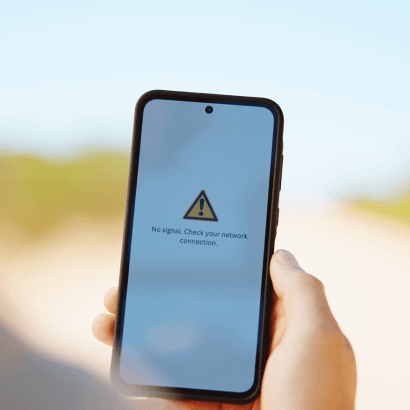
Unexpectedly losing mobile service may seem like a simple network problem. In some cases, however, it could be a sign that someone has taken control of your mobile number through an unauthorised SIM swap or number port.
A SIM swap occurs when your existing mobile number is transferred from your current SIM card to another SIM card, while a number port involves moving your mobile number from one network provider to another while keeping the same number. Once a fraudster gains control of your number, your accounts, personal information and digital identity may be at risk.
How fraudsters take control of your number
Controlling a phone number may help a criminal take over certain accounts, but it does not automatically give them access to every account.
If a SIM swap or number port is successful, calls and SMS messages intended for you may be redirected to a SIM card they control. This may allow them to receive SMS one-time passwords (OTPs), attempt to access financial or online accounts, impersonate you or take over services such as WhatsApp.
However, fraudsters may still need additional information, such as your passwords, banking details or account-recovery answers, to gain access to those accounts.
Warning signs to watch for
- A sudden loss of mobile signal or a “No Service” message.
- An inability to make or receive calls and SMS messages.
What to do immediately
- Contact your mobile provider from another phone and ask whether a SIM swap or number-port request has been made. If the request was unauthorised, ask the provider to block or reverse it.
- Change the passwords for your primary email, banking and other important accounts. Start with your primary email account, as it may be used to reset your other passwords.
- Review your email account’s password-recovery and account-recovery settings, and secure any accounts that may have been compromised.
- Sign out of active sessions on your important accounts, particularly those linked to devices you do not recognise.
- Where available, use an authenticator app or another secure verification method instead of SMS-based authentication.
- Report any financial loss or identity theft to the South African Police Service, and monitor your financial accounts and credit profile.
- Never approve or respond to an OTP, login prompt or verification request that you did not initiate.
SIM-swap protection with AirMobile
AirMobile includes several verification steps in its SIM-swap process. A replacement SIM must be requested and RICA-registered through ClientZone or the AirMobile App.
If you are replacing a damaged SIM, an OTP is sent to your old SIM and you are asked to reply to the SMS. If your SIM has been lost or stolen, AirMobile conducts additional verification before completing the swap.
When porting a number to AirMobile, MTN sends an OTP to the existing number, and the client must reply to the SMS within four hours to authorise the port.
These procedures are specific to AirMobile and should not be assumed to apply to all MTN MVNOs.
These steps help reduce the risk of an unauthorised SIM swap or number port, but no security measure removes the risk completely. Fraudsters may still use social engineering or phishing to trick people into sharing information or approving fraudulent requests.
To strengthen your protection:
- Use strong, unique passwords for important accounts.
- Enable an authenticator app or another secure form of two-factor authentication where possible.
- Limit the personal information you share publicly.
- Never share your PINs, passwords or OTPs with anyone.
- Ask your mobile provider whether additional account-security options, such as a carrier PIN, are available for your account or service.
Treat any unexplained loss of mobile service as urgent and contact your provider immediately. Acting quickly could prevent fraudsters from gaining access to your accounts and personal information.

Leave a Comment