
 Blog
BlogHow to prepare your phone before switching networks
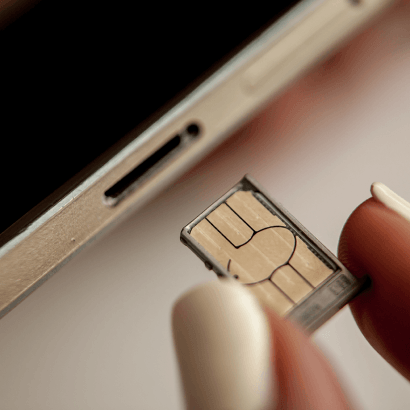
Before making the switch to a new network provider, it’s important to make sure your phone is ready for the move. With so many options available, finding a network that offers better value, flexibility, or improved service can be a smart move, but preparing your device beforehand can help ensure a smooth and hassle-free transition. From checking compatibility to backing up important information, a little preparation goes a long way when switching networks.
These are a list of things we recommend you do before the transition.
Make sure your phone is network unlocked
The easiest way to check if your phone is unlocked is to insert a SIM card from a different network. If the SIM works and your phone connects successfully, your device is most likely unlocked. If you receive an error message or struggle to get a signal, you may need to contact your current provider for assistance. Most newer phones in South Africa are already network unlocked, but it’s still worth double-checking before making the switch to avoid any surprises later on.
Back up your important information
Switching networks won’t usually affect the data stored on your phone, but backing up your information beforehand is always a smart idea. Taking a few extra minutes to secure your important data can save you from unnecessary stress if something unexpected happens. Make sure to back up essentials such as your contacts, photos and videos, WhatsApp chats, important documents, passwords, and app settings. Services like Google Drive, iCloud, and Samsung Cloud make the process quick and easy.
Decide if you want to keep your number
This process is referred to as porting. It will enable you to change from one network to another, retaining your old phone number. When beginning the porting process, ensure that your existing SIM card is active and that your number has not been suspended. In addition, it is crucial to keep your old SIM card even after completing the porting. Ending your subscription before finishing the entire process may disrupt it and render your phone inactive.
Check if your phone supports eSIM
In case you intend to install an eSIM rather than using a traditional SIM card, the first
thing you should do is to verify whether your device has the capability to support the eSIM. With eSIM, you get a digital installation for your mobile plan. Most modern phones have the capability to support eSIMs, but this may be different from one phone to another and from one model to another. It’s therefore advisable that you make an effort to check before switching.
Update your phone software
It may seem like a small step, but the presence of outdated software could sometimes create problems in connectivity or configuration when moving from one network to another. Prior to changing your network, ensure that you have updated the software on your phone, install any updates offered by your carrier, and then reboot your device. Updating your software will greatly simplify the entire process and guarantee your network works well from the get-go.
Save your login details
Believe it or not, it happens all too often that critical passwords become inaccessible at the time they are required the most. Before changing networks, spend some time confirming that your email accounts, online banking applications, authentication applications, and mobile application logins are accessible. This will be particularly useful in case OTPs are required during the activation phase. This will make the process significantly easier and much less stressful.
Understand what happens during the switch
We recommend taking a moment to review the terms and conditions of both network providers before making the switch. This can help set clear expectations around timelines, processes such as number porting and SIM activation, as well as any verification requirements, helping to avoid any surprises along the way.
Something important to keep in mind: you may need internet access during the setup process for tasks such as downloading the required app, verifying your account, completing activation, or adjusting your settings. Having mobile data available as a backup can make the process much smoother and help avoid unnecessary delays.
Moving to a new mobile network shouldn’t mean disrupting your routine. Preparation is key, and it will help you minimise any stress that comes with this transition. And when everything gets completed successfully, you will enjoy using your new connection without problems. If you have more to add to the topic, please comment below or on our social media pages.

Leave a Comment