
 Blog
BlogA guide to managing your mobile spend with AirMobile
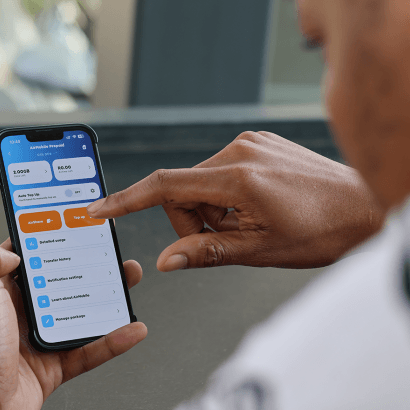
Managing your mobile spending does not have to be difficult. The right tools can help you avoid unexpected charges, track your usage and stay within budget. Knowing your package and the settings available on the app can help you manage your spend.
In this blog, we’ll take you through some of the features available in the AirMobile App, including data usage settings, Auto Top-Up and usage notifications. These features make it easier to keep track of your airtime and data usage.
Manage your data usage
Our AirMobile app gives you several options, so you can select the one that best suits your budget and usage habits.
You can choose from the following data usage options:
In-Bundle Only: Stops data usage once your monthly data allocation has been used.
Out-of-Bundle: Allows you to continue using data at the applicable out-of-bundle rate, up to a spending limit you set.
Auto-Limit: Automatically purchases additional data bundles until your chosen spending limit has been reached.
For uncapped mobile data package users, please check the current package terms and Fair Use Policy for the latest thresholds and speeds that apply to your package.
Set up Auto Top-Up
If you regularly run out of data or airtime before the end of the month, the Auto Top-up feature helps keep you connected without needing to manually top up. You decide when top-ups happen and how much you are comfortable spending, which makes it easier to manage your monthly budget.
To manage your Auto Top-Up settings:
Open the AirMobile app
Tap Products at the bottom of the screen
Select View under the AirMobile package you want to manage
Tap Auto Top-Up, then choose or update your preferred option
Keep track of your usage with notifications
Checking your remaining airtime and data does not need to be a manual process. Usage notifications help you track your airtime and data usage by alerting you when you reach a set percentage of your available usage. You can choose to receive notifications by SMS, email or in-app alert, making it easier to monitor your usage and avoid unexpected interruptions.
To enable usage notifications:
Open the AirMobile app
Select the AirMobile package you want to manage
Tap Notification settings
Choose either the Data or Airtime tab
Select how you would like to receive notifications: SMS, email or app notification
Tap Save Changes, then select Done to confirm
Once your preferences have been saved, you will receive notifications based on the options you selected.
With the right settings in place, staying on top of your mobile spend becomes much simpler. AirMobile gives you the flexibility to manage your usage and stay connected while keeping your monthly budget in check.

Leave a Comment